使用脚本播放动画片段
信息
本教程适用于 Party Game Kit 用户。
概述
本教程将教你:
- 在资产库中查找动画片段。
- 在空间中配置动画。
- 通过 LUA 脚本播放动画。
获取动画片段
首先需在资产库中找到合适的动画片段用于空间播放。进入资产库浏览动画片段。
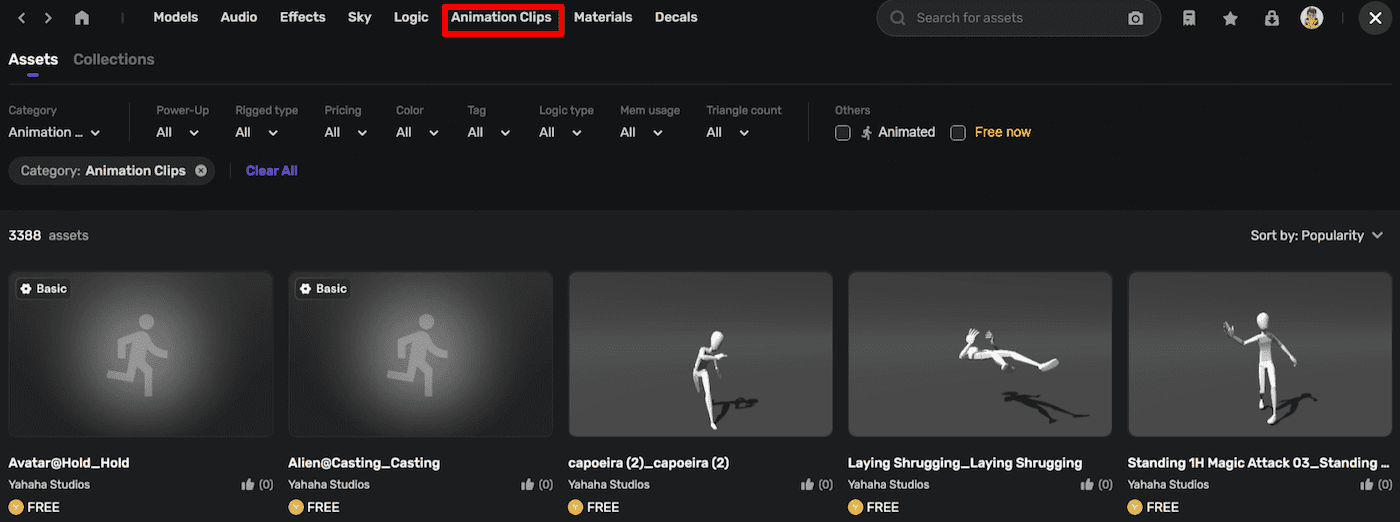
找到并添加名为 "Wave Hip Hop Dance_Wave Hip Hop Dance" 的动画片段。
获取模型并绑定动画片段
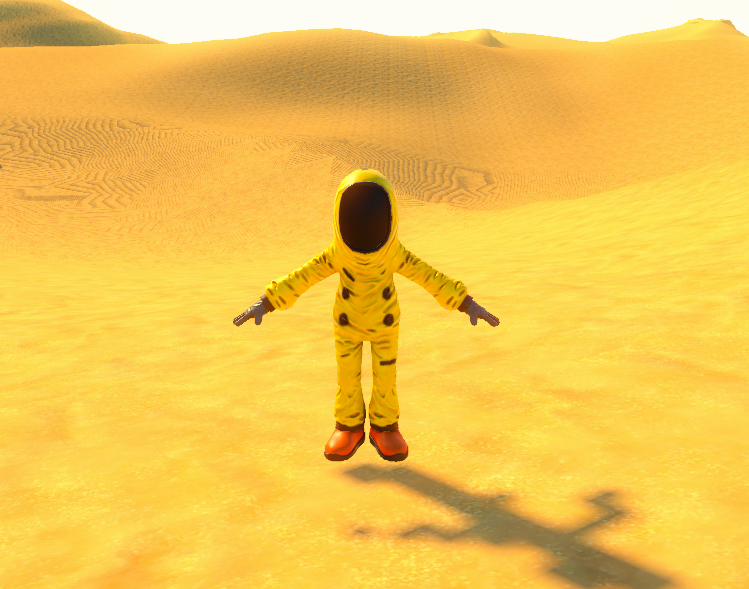
为动画片段选择合适的模型。目前资产库中的动画片段仅适用于人形模型。找到名为 "BackRoomsCharacter01" 的人形模型并放入空间。
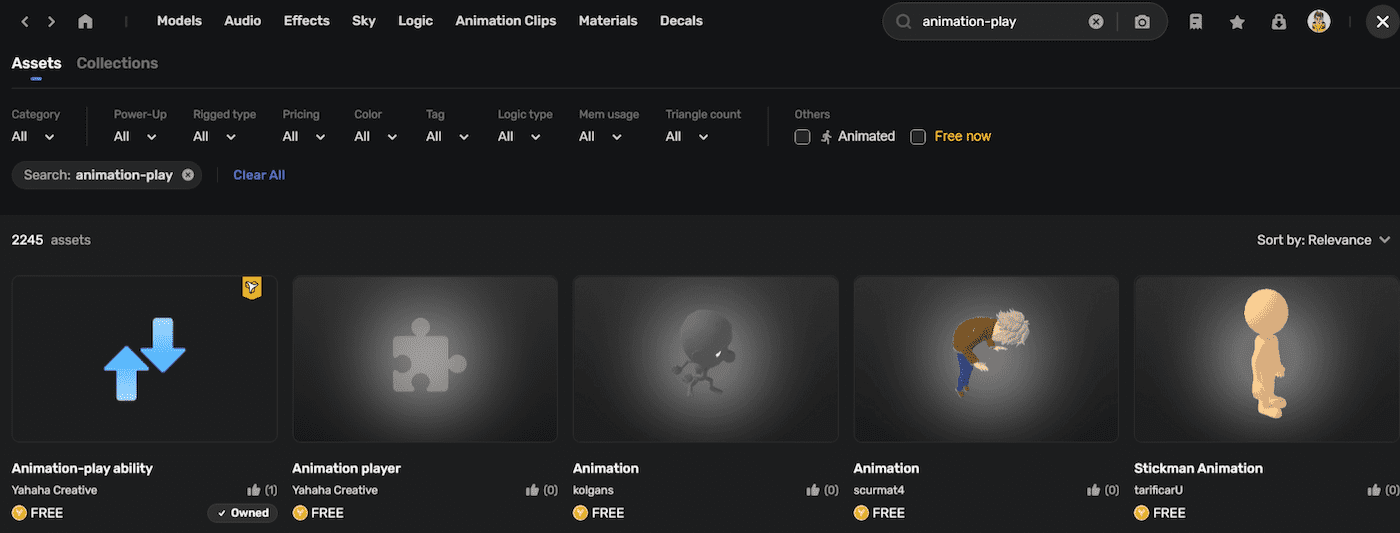
要将动画片段绑定到模型,需要一个社区组件 "Animation-play ability",可在资产库中找到。
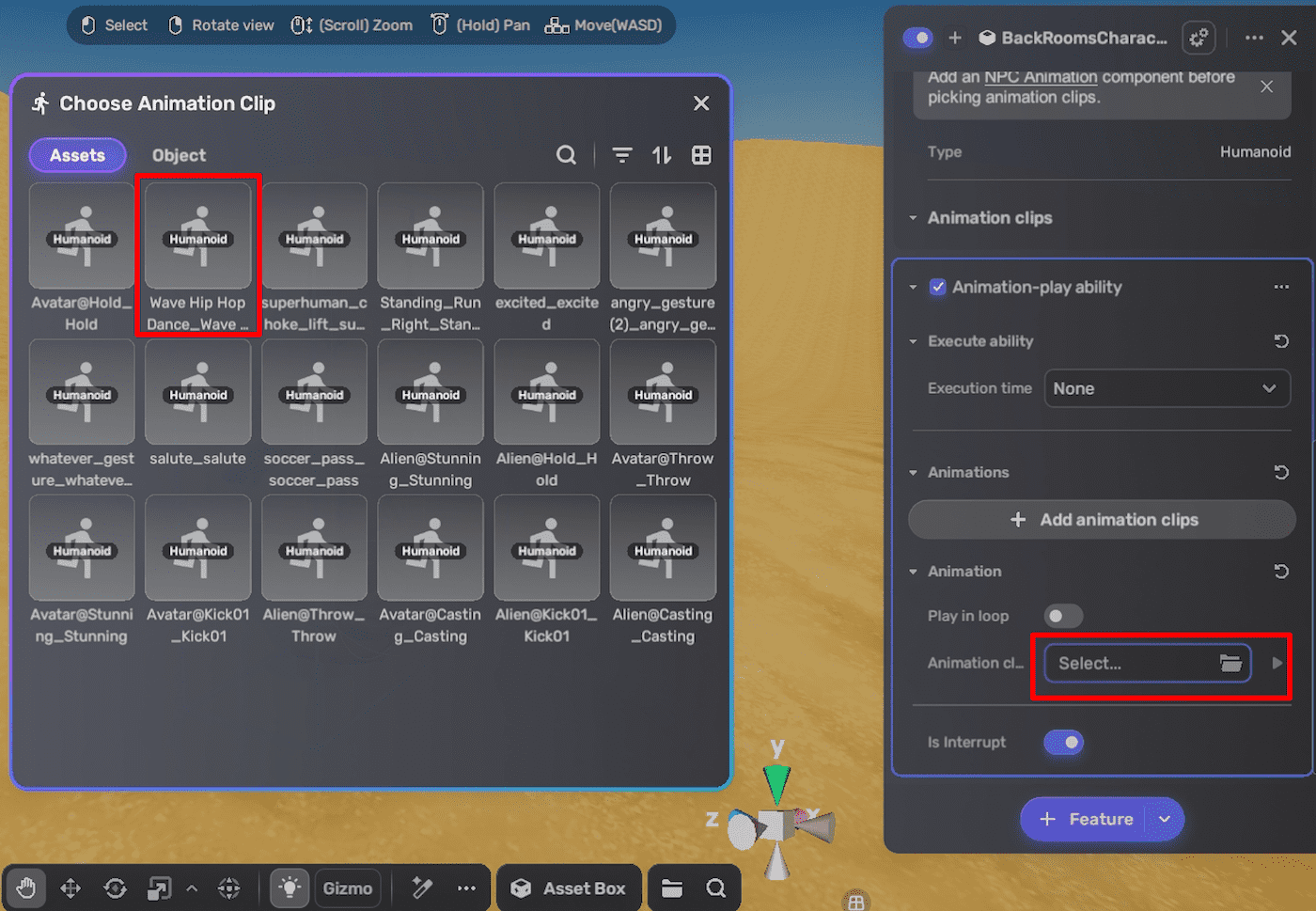
将该组件附加到选定模型,并通过选择动画片段进行绑定。
将模型变为 AnimatorController
只有 AnimatorController 才能播放动画片段。可通过将模型设为 NPC(非玩家角色)实现。附加 Monster 组件即可。
播放动画
创建脚本并附加到已添加到空间的模型。
-
为对象创建实体(即场景中的模型),并判断实体是否为 AnimatorController,只有 AnimatorController 才能播放动画片段。
local _selfEntity = script:SelfEntity()
if not YaAnimatorAPI.IsAnimatorController(_selfEntity) then
    return
end -
通过实体获取 AnimatorControllerEntity,然后可通过动画名播放动画片段。本例播放 "Wave Hip Hop Dance_Wave Hip Hop Dance"。
local _selfEntity = script:SelfEntity()
if not YaAnimatorAPI.IsAnimatorController(_selfEntity) then
    return
end
local _animatorControllerEntity = YaAnimatorAPI.Instance(_selfEntity)
local _handle = _animatorControllerEntity:Play("Wave Hip Hop Dance_Wave Hip Hop Dance") -
通过
_handle:SetLooping(true)设置动画循环。 -
添加事件触发动画播放。
local _selfEntity = script:SelfEntity()
function OnAvatarSpawned(playerId, spawnPointEntity, avatarEntity)
    if not YaAnimatorAPI.IsAnimatorController(_selfEntity) then
        return
    end
    local _animatorControllerEntity = YaAnimatorAPI.Instance(_selfEntity)
    local _handle = _animatorControllerEntity:Play("Wave Hip Hop Dance_Wave Hip Hop Dance")
    _handle:SetLooping(true)
end
function OnPlayerJoined(playerId)
    local player = YaGame:GetPlayer(playerId)
    EventHelper.AddListener(player, "SpawnedEvent", OnAvatarSpawned)
end
EventHelper.AddListener(YaGame, "PlayerJoinedEvent", OnPlayerJoined) -
保存脚本并在 Play Mode 下测试。